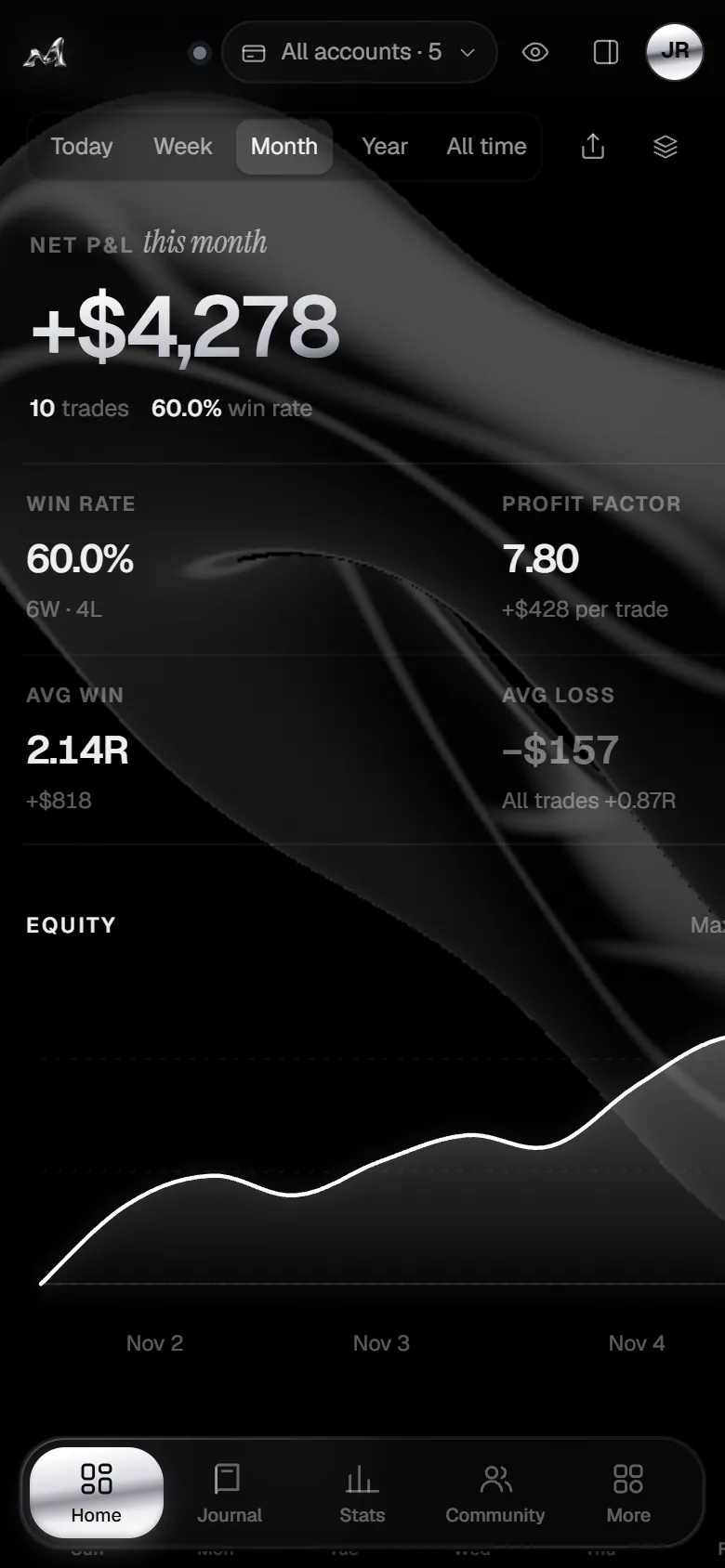
Every trade, already written down.
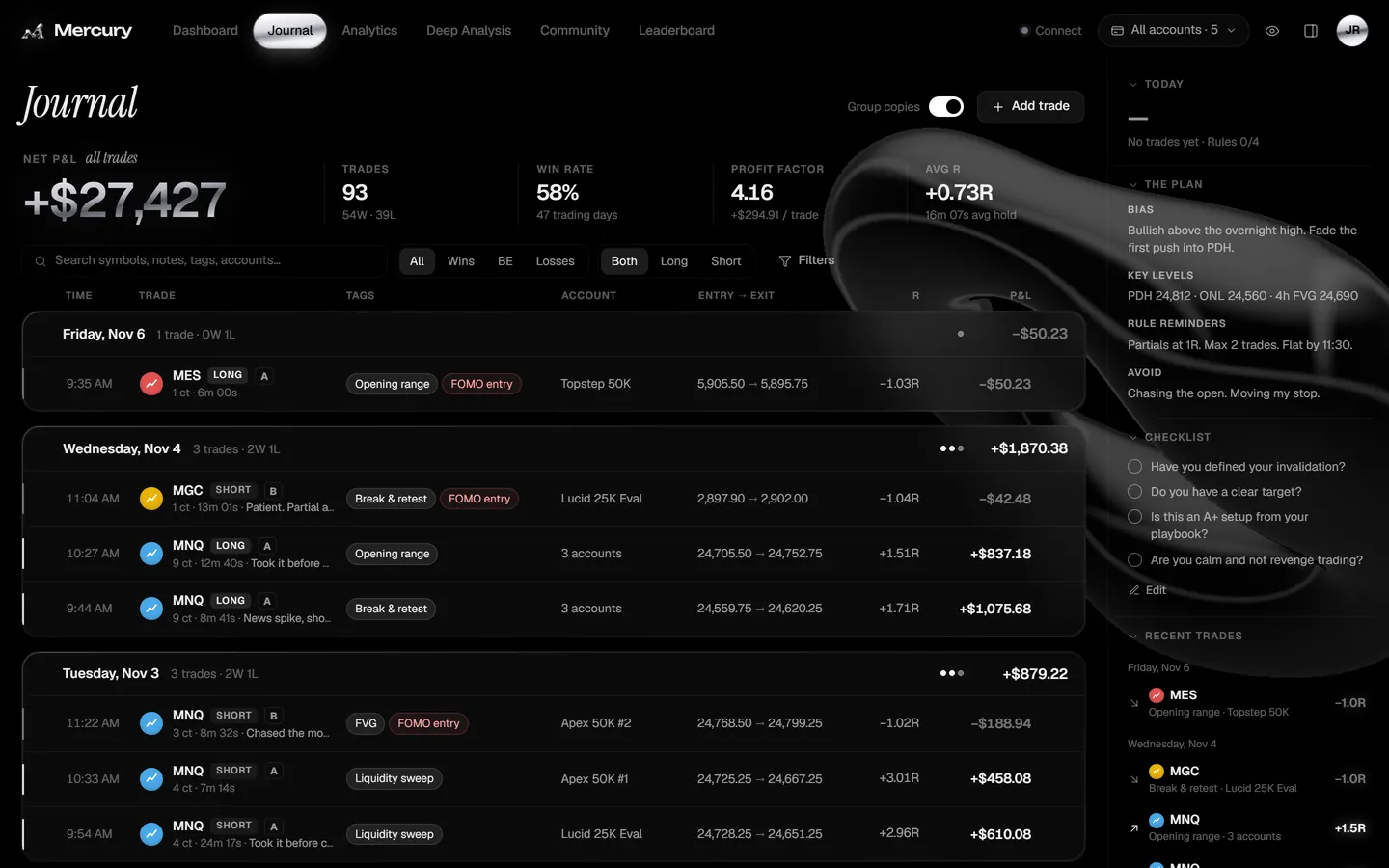
Your trades grouped by day with entry, exit, size, account, P&L and the setups you tag. Search anything, filter wins from losses, and see copy-trades across five accounts as one.
Mercury logs every fill from NinjaTrader, Tradovate, TradingView, MetaTrader 5 and 20+ crypto exchanges the moment it happens — then turns your trades into stats, a P&L calendar and cards worth posting.
Mercury reads your fills straight from where you trade. Futures, forex, crypto spot and perps, on-chain swaps — one free trading journal for all of it.
Email, Google or Discord. Pick a handle and set your goals. Every trader is let in by hand — got an access code? You’re in straight away. No card, ever.
Install the NinjaTrader add-on or the Chrome extension, paste a read-only exchange key, link Phantom — or drop in a CSV. A step-by-step guide walks you through each one.
Every fill lands in your journal as it happens, grouped into trades with a chart, your stop and target, R-multiple and fees. You just add the why.
The early entry. The stop you moved. The size you took because you were angry. Mercury keeps the receipts automatically, so the lesson actually sticks.
See what it catchesBuilt for futures scalpers, prop-firm grinders and crypto degens alike. Here’s the real app, with a real-looking month of trading.
Your trades grouped by day with entry, exit, size, account, P&L and the setups you tag. Search anything, filter wins from losses, and see copy-trades across five accounts as one.
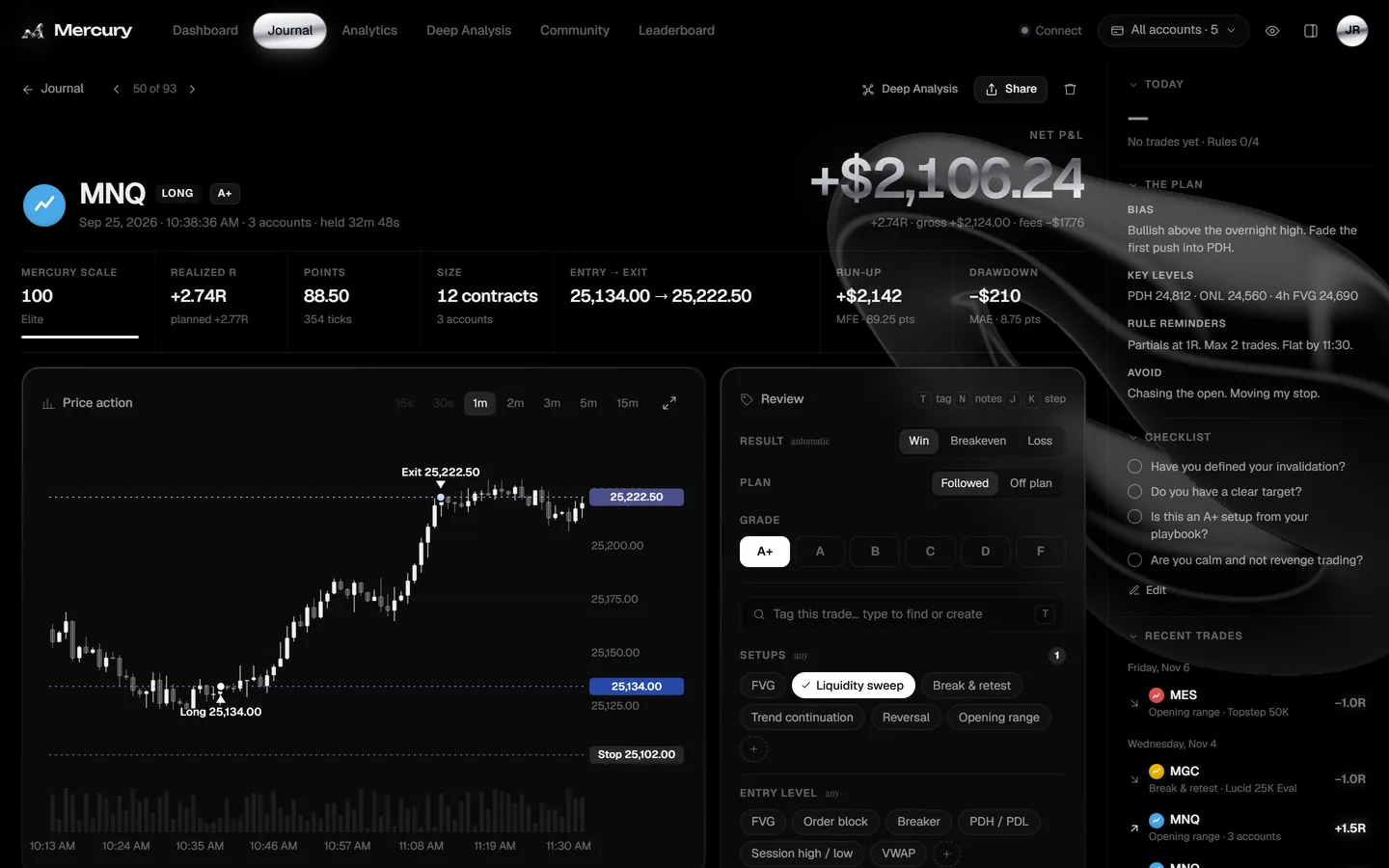
A 1-minute chart with your entry, exit and stop marked, run-up and drawdown, realized vs planned R. Grade it, mark plan followed or broken, tag the setup and mistakes — keyboard first.
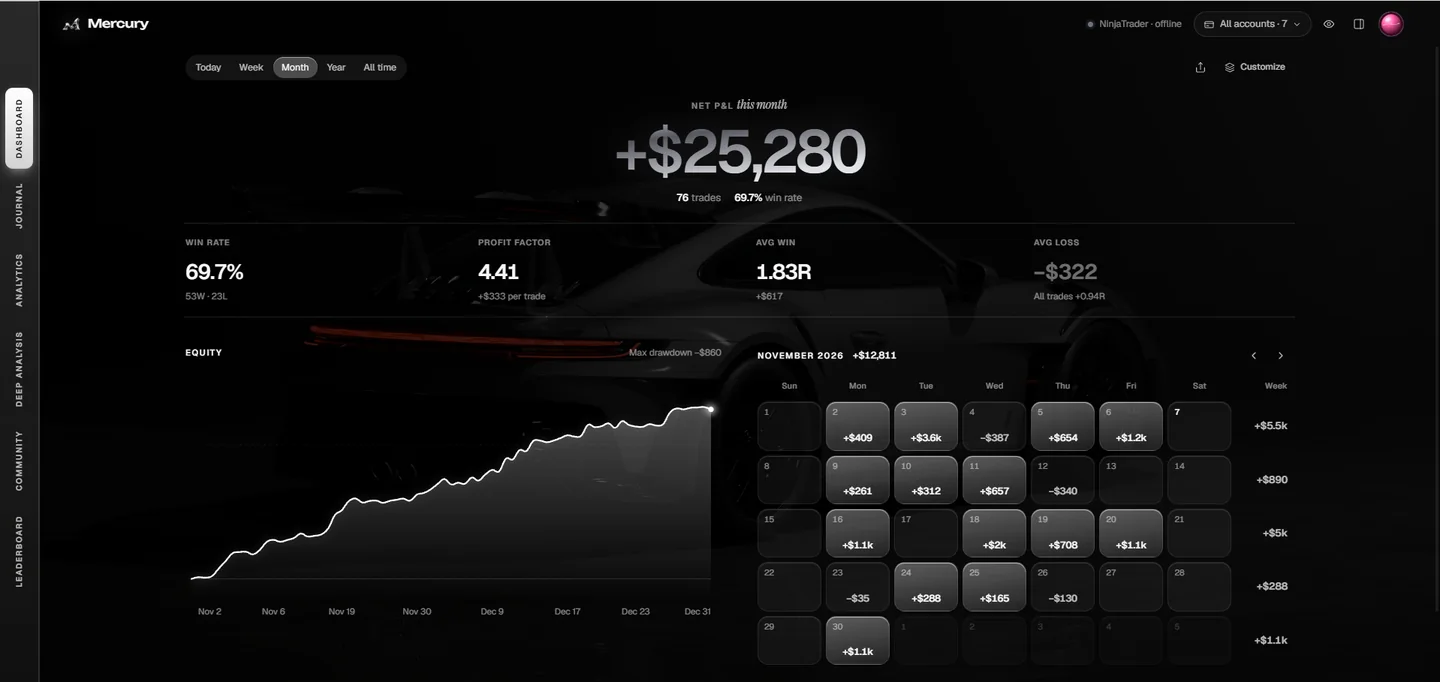
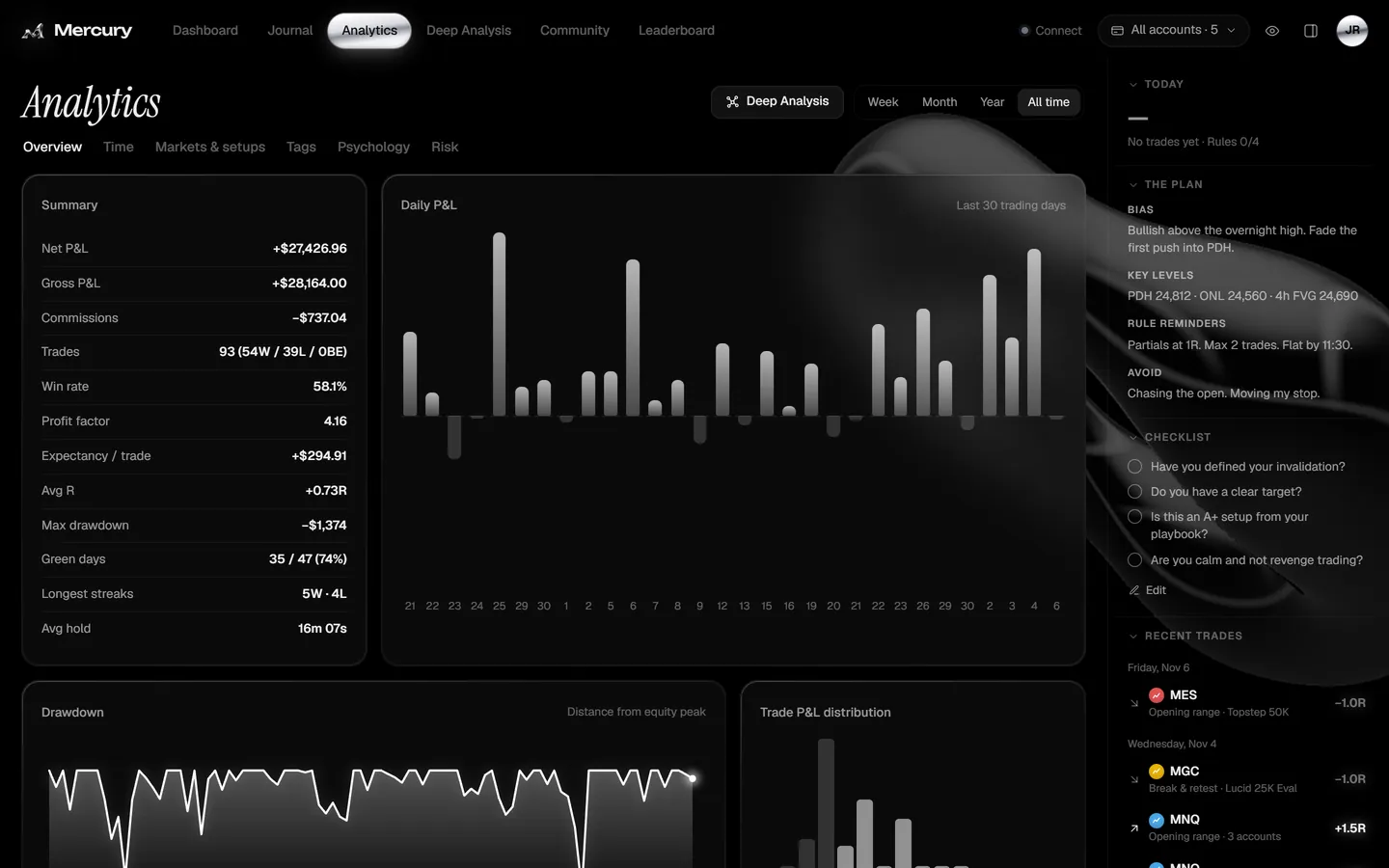
Net and gross P&L, fees, win rate, profit factor, expectancy, drawdown, green-day rate, streaks and hold time — sliced by time of day, market, setup, tag, psychology and risk.
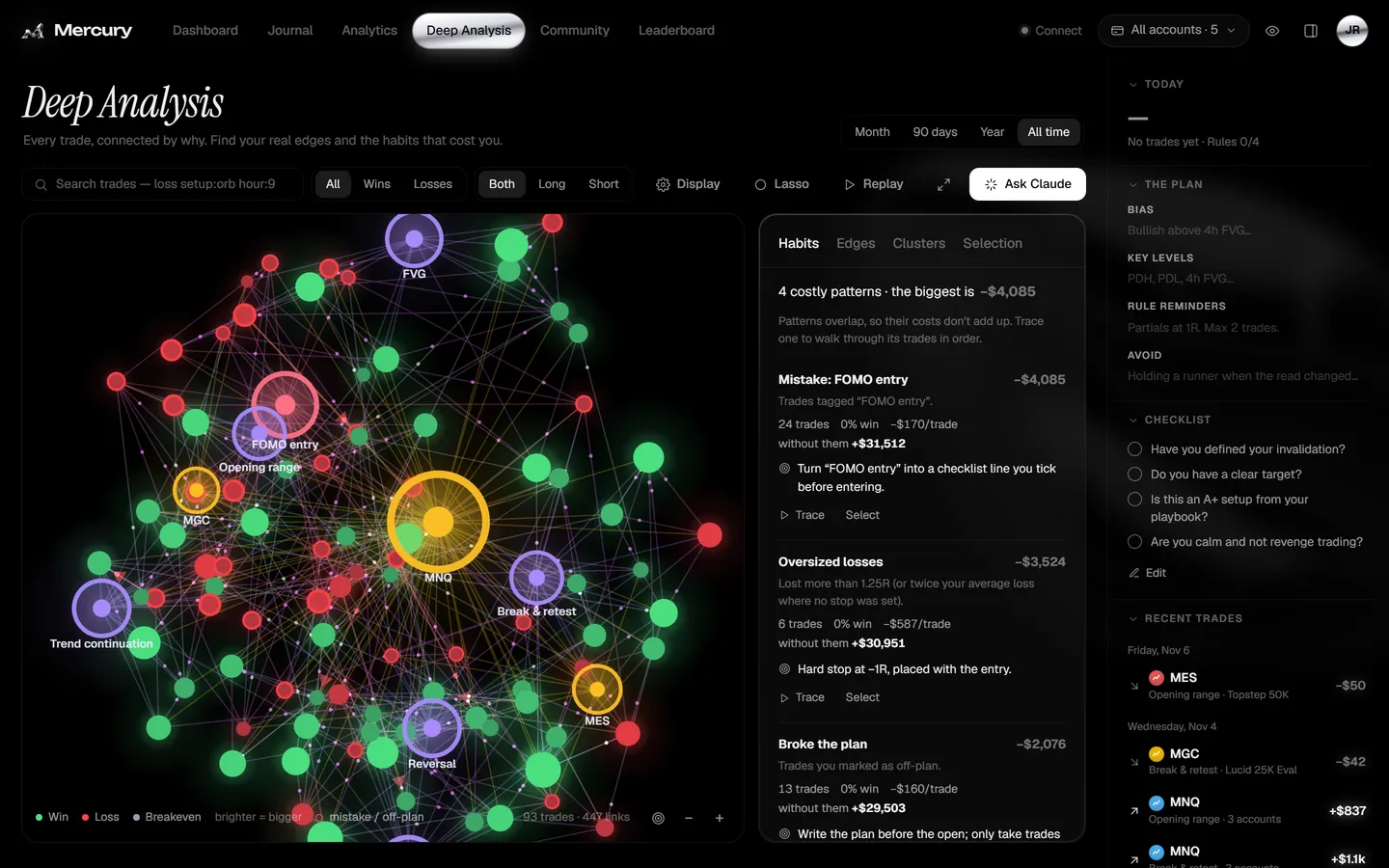
Every trade connected by why. Mercury finds your costliest patterns — FOMO entries, oversized losses, broken plans — shows what you’d have made without them, and tells you the fix.
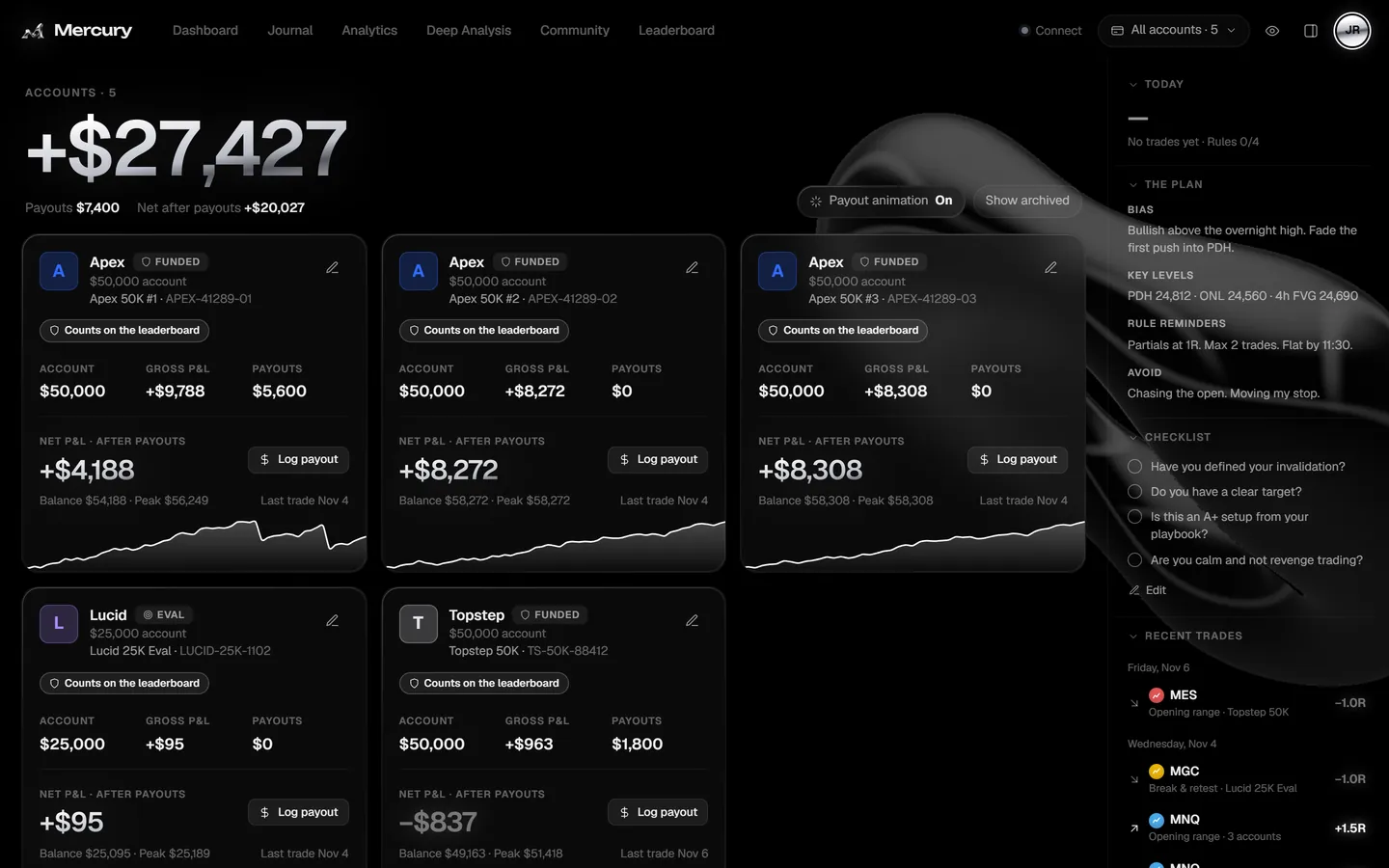
Apex, Topstep, Lucid and the rest side by side: balance, peak, payouts and net after payouts, each with its own curve. Log a payout and get a moment you’ll remember.
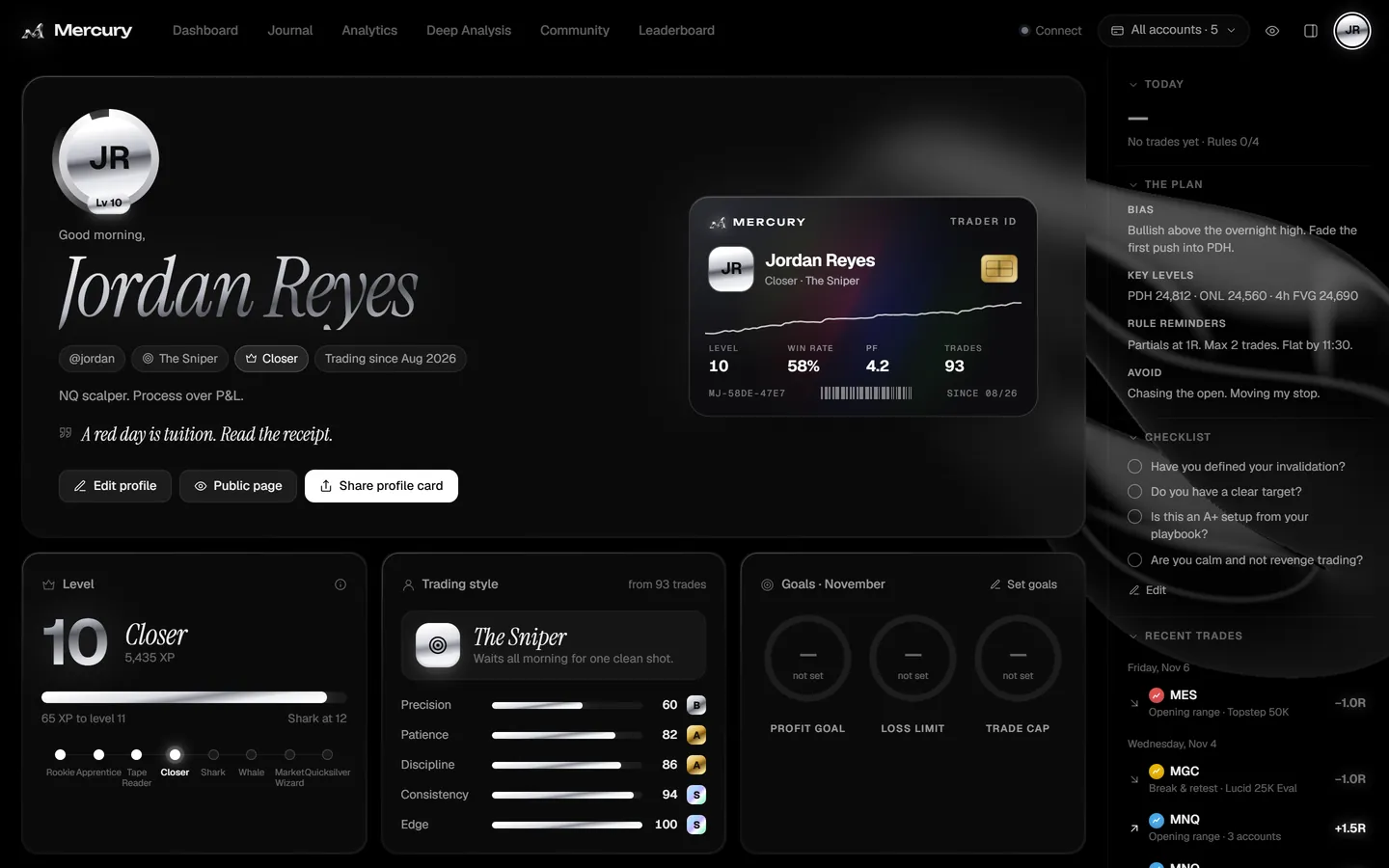
Levels from Rookie to Quicksilver, a trading-style read with graded traits, goals, a year heatmap, a trophy case and a holographic Trader ID you can share.
Mercury does the boring half of journaling, so the part that’s left is the part that makes you better.
Entries, exits, scale-ins and commissions arrive as they fill — from NinjaTrader, Tradovate, TradingView, MetaTrader or your exchange. No exports. No Sunday-night catch-up.
Weekly and monthly. Only synced, verified trades count — sim never does.
Every session as a tile. Streaks, tilt days and your best weeks jump out at a glance.
Your journal lives in the cloud and installs to your home screen.
No broker passwords, no seed phrases. Upload-only sync keys, read-only exchange keys, two-factor sign-in.
Pick an accent — it recolors the chrome at the top of this page, too. In the app: themes, live shaders, film grain, aurora, or your own video behind your numbers.
Log a payout and Mercury throws you a little chrome parade. Go on — try it.
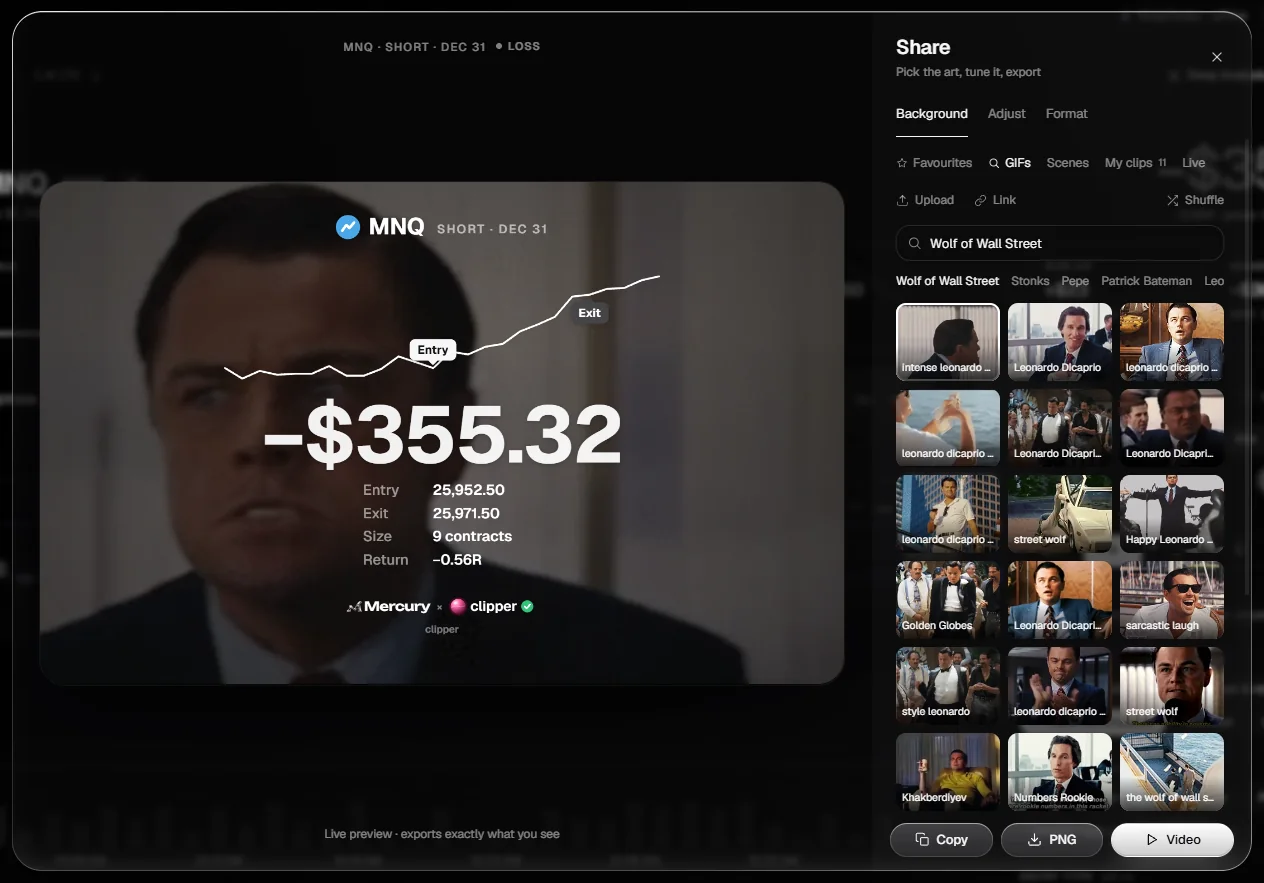
Turn any trade, day, week or your whole profile into a card. Animated scenes drawn in code, effects like gold dust and coin rain, a P&L count-up — exported as PNG or video.
| Feature |  Mercury | Spreadsheet | Paid journals |
|---|---|---|---|
| Price | Free | Free | Monthly subscription |
| Trades logged automatically | Often CSV uploads | ||
| Futures, forex, crypto & on-chain in one place | If you type it | Varies | |
| Chart of every trade with entry, exit & stop | Varies | ||
| Prop-firm accounts, copy-trades & payouts | Varies | ||
| Habit & mistake analysis | Varies | ||
| Animated share cards | |||
| Verified leaderboard |
Mercury is a free trading journal. No trial that runs out, no “pro” wall in front of your own stats, no credit card to sign up.
Already journaling with us? Sign in
Yes. You can create an account and journal every trade for free. There is no credit card and no trial clock.
NinjaTrader 8 through a small add-on, Tradovate and TradingView through a Chrome extension (TradingView works with any broker you trade there, Paper Trading included), MetaTrader 5, 20 crypto exchanges including Binance, Bybit, OKX, Bitget, Kraken and Coinbase through read-only API keys, and Phantom wallets on Solana. You can also import a CSV or a MetaTrader statement, or add trades by hand.
No. Mercury never asks for your broker password, wallet seed phrase or private keys. Each sync connection uses its own key that can only upload fills and can never read your journal. Exchange keys are read-only.
Yes. Every account is tracked on its own and side by side. Copy-trades across accounts are grouped into one trade, payouts are logged per account, and daily loss limits are counted per account the way prop firms count them.
Yes. Mercury runs in any browser and installs to your home screen. Your trades sync in the cloud, so your journal is on your phone even while your trading PC is off.
Yes. Import a CSV or a MetaTrader statement, pull up to a year of history from a crypto exchange, or add trades by hand. New trades then sync automatically.
Your journal is private by default. The leaderboard is opt-in and only shows your handle, avatar and period totals. Sign-in supports two-factor authentication.
Every trader on Mercury is approved by hand, which keeps the community and the leaderboard clean. Everything you set up while you wait is saved, and Mercury opens by itself the moment you’re approved. If someone on the team gave you an access code, enter it and you’re in straight away.
Traders who opt in are ranked by weekly and monthly net P&L. Only trades that arrived through a live sync or a verified account count. Simulation and demo trades never do.

Free, always. Create your account in under a minute.